What to look for in captions for children's language videos
Why captions matter more than you might think
Children learning a new language need every bit of support they can get. Captions in videos act as a bridge between what they hear and what they understand. For a child who is still building vocabulary, a well-timed caption can turn a blur of sounds into a clear, memorable word. But not all captions are created equal. In the rush to produce content for AI language learning videos, the quality of captions can vary a lot. A poorly timed or cluttered caption can confuse rather than help. This article walks through the points you should check before using any video in a lesson or recommending one to a parent or teacher. The focus is on what makes a caption work for a young learner, especially in the context of AI-generated educational content.
Check the timing of each caption
A caption that appears too early or stays too long can break the flow of a lesson. For children, the ideal caption appears just as the word is spoken and disappears when the sound finishes. This synchrony helps the child connect the written form to the spoken sound. If the caption lags, the child may have already moved on. If it stays on screen too long, it becomes visual noise. When you review a video, watch a short segment with the sound off first. Can you still follow the lesson just from the captions? Then watch with sound on. If the timing feels off even for a few words, the caption is unlikely to help a child who is still learning to read in that language.
Check the font size and style
Young readers need larger, clearer text than adults do. A caption that looks fine on a desktop monitor may be too small on a tablet or phone. The font should be sans-serif, such as Arial or Helvetica, because the simple shapes are easier to decode. Avoid decorative fonts, italics for long passages, or all-caps text. The caption should sit in a semi-transparent box so it stands out against any background. If the video uses bright, busy scenes, the caption box becomes essential. Test the video on a small screen: can you read every word without squinting? If not, the font is too small or the contrast is too low.
Check the language level and sentence length
Captions for children's language lessons should match the learner's current level. For beginners, captions should use short sentences with high-frequency words. A caption like "The cat sits on the mat" is better than "The feline is resting on the carpet." The reason is that a child who knows ten words needs to see those words repeated, not introduced to rare synonyms. As the level advances, captions can grow longer and include new vocabulary, but each caption should still be a complete thought. Break long sentences into two captions if needed. If a caption runs for more than about six words for a young beginner, consider splitting it. Check that the caption does not use contractions or idioms that the child has not learned yet. The goal is comprehensible input, not a reading challenge.
Check the alignment with the visual content
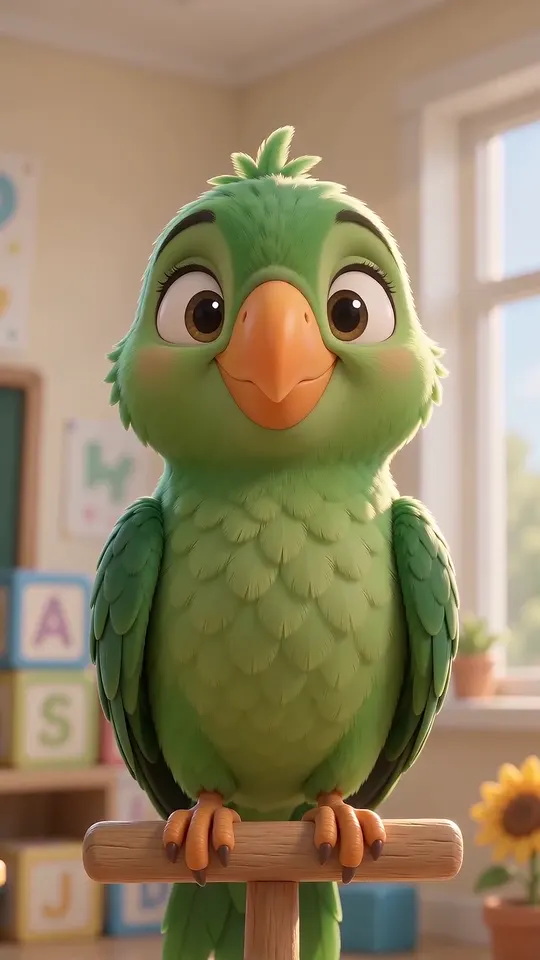
A caption that describes something off-screen can confuse a child. For example, if the video shows a cartoon dog and the caption says "The dog is running," the child sees the dog and the text together, reinforcing the word. But if the caption says "The dog is sleeping" while the dog is clearly awake, the mismatch undermines trust in the video. In AI language learning videos, the visual content is often generated alongside the captions, so alignment should be good by design. Still, it pays to watch for scenes where the caption and image do not match. Even a small mismatch can distract a child who is still mapping words to meanings. If the video uses a story format, check that the captions follow the story order and do not skip important narrative beats.
Check the pacing of caption changes
Children read at different speeds. A caption that changes every two seconds may be fine for a fast reader but overwhelming for a slower one. The best AI language learning videos allow the viewer to control the pace, either through a pause button or a speed setting. If the video does not offer that option, the captions should stay on screen long enough for a child to read them aloud silently. A good rule of thumb is that a caption of five words should stay visible for at least three seconds. For longer captions, add a second per additional word. If the video is a song or a nursery rhyme, the captions can change with the beat, but the text should still be visible for the duration of the sung line. Watch the video at normal speed and then at 1.25x speed. If the captions become unreadable at the faster speed, the original pacing may already be too fast for some learners.
Check for consistency in spelling and punctuation
Inconsistent spelling or punctuation can confuse a child who is learning the written form of a language. For example, if the video uses British English spellings like "colour" in one caption and American English like "color" in another, the child may wonder which is correct. The same goes for punctuation: a caption that ends without a period may look incomplete, while one that uses a question mark for every sentence can mislead. For AI-generated content, these inconsistencies can slip in because the model may mix training data from different dialects. A quick scan of the captions for a whole video will reveal any oddities. If you find a pattern of errors, the video may need a human edit before use. Consistency also applies to character names: if a character is called "Tom" in one caption and "Thomas" in another, a child may think they are two different people.
Check that the caption supports the learning goal
Every video in a language lesson should have a clear objective: teach ten new words, practise a verb tense, or introduce a cultural concept. The captions should directly support that objective. For example, if the lesson is about animals, the captions should repeat the animal names several times and use them in simple sentences. If the captions wander off into unrelated vocabulary, they dilute the focus. For AI language learning videos, the caption generation can be tuned to the lesson plan, but you should verify that the captions actually deliver the target words. A video that claims to teach colours but whose captions mostly describe actions is not serving its purpose. Make a list of the target vocabulary for the lesson and check that each word appears in the captions at least once, ideally more.

Check the use of highlight or emphasis
Some AI language learning videos use colour or bold text to highlight a key word in the caption. This can help a child focus on the new vocabulary. For instance, if the caption reads "The blue bird flies," with the word "blue" in a different colour, the child's eye is drawn to it. But overuse of emphasis can defeat the purpose. If every other word is highlighted, the effect is lost. Check that the highlighted words are the ones the lesson intends to teach. Also check that the highlighting is consistent: if a word is highlighted the first time it appears, it should be highlighted every time it appears in that video, or the child may think the word has changed. A good practice is to highlight only the target vocabulary, and only once per caption, so the child can locate it easily.
Check that the captions are editable or customisable
For a teacher or a parent, the ability to adjust captions is valuable. Some platforms, like fluxnote.io, allow you to generate captions and then edit them. This means you can fix any errors, adjust the language level, or add translations. If you plan to use a video repeatedly, having editable captions saves time. The alternative is to rely on the original captions, which may not fit every learner. When you evaluate a video, check whether the captions are burned into the video (hardcoded) or stored as a separate file (softcoded or sidecar). Hardcoded captions cannot be changed. Softcoded captions can be turned off, edited, or replaced. For language lessons, softcoded captions are almost always better because you can adapt them to the child's needs. If the video comes from fluxnote.io, you can edit the captions directly in the generator before exporting, which gives you control over the final product.
Check the cultural and contextual appropriateness
Captions that use examples from a culture unfamiliar to the child may create confusion. For instance, a caption that says "The child eats a bagel" may not make sense in a region where bagels are unknown. In AI language learning videos, the model may draw on a broad dataset that includes many cultural references. It is worth scanning the captions for any references that might be unfamiliar or that could be misinterpreted. The same goes for humour: a pun that works in English may not translate well for a learner who is still grasping the basics. Keep the captions grounded in everyday, universal situations: eating, playing, going to school, interacting with family. These scenes are recognisable across cultures and help the child focus on the language, not the context.
Check that the captions do not replace listening practice
A caption is a support, not a crutch. If a child relies only on captions and never practises listening without them, they may not develop good auditory skills. The best AI language learning videos allow you to toggle captions on and off. When you review a video, watch it with captions on first to understand the content, then watch it with captions off to see if the audio alone is clear enough. If the audio is muffled, too fast, or accented in a way that makes it hard to understand, the captions are doing too much of the work. Adjust the video or choose a different one. The goal is that eventually the child can follow the lesson without reading. Captions are a scaffold, not the building itself.

Check the overall visual load
Too much happening on screen at once can overwhelm a child. In AI language learning videos, the visuals are often colourful and animated, which is engaging but can compete with captions. Watch the video with the sound off and ask yourself what the child's eye is drawn to. If the animation is so busy that the caption is hard to spot, the design is working against the lesson. The caption should be in a consistent position, usually at the bottom third of the screen, and should not overlap with important visual elements like a character's face or a key object. A clean, simple background behind the caption helps. If the video has many scene changes, check that the caption placement stays consistent. A caption that jumps from the bottom to the top of the screen can disorient a young reader.
Fluxnote on social media
 Twitter
 LinkedIn
 Facebook
 Instagram
 YouTube
 Discord